
Appearance
Marketplace reports
Analytics & Reports answers "what did we give out, and to whom?" for one marketplace. Use it to restock bestsellers, spot items nobody buys, reconcile with suppliers and support tax or benefit reporting.
Go to Marketplace → Analytics & Reports, after choosing the marketplace in the picker at the top of the Marketplace section of the menu.
Where this fits
This is step 7 of the marketplace at a glance: reporting on what was delivered.
Only completed orders count
The reports count Completed orders, so the figures match what was delivered. Orders In Progress are shown in their own column. Orders pending approval and canceled orders aren't included.
Run a report
- Choose Redeemed by Item or Redeemed by User.
- Select Filters and choose any of:
- User
- Item & Category: one item or a whole category
- Start date and End date
- Select Apply.
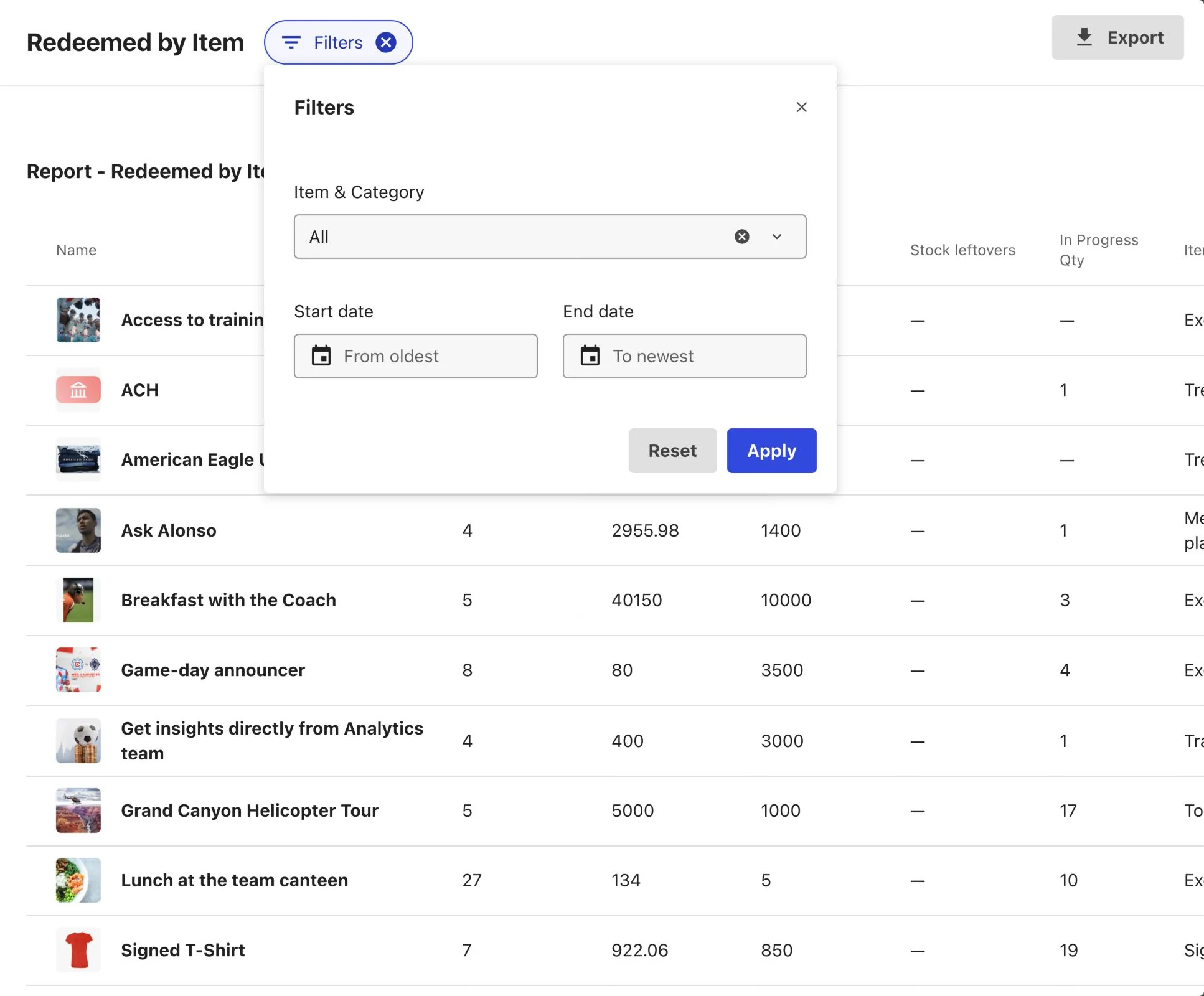
To download the report as an Excel file, select Export. The export includes every row, not just the current page.
Redeemed by Item
One row per item:
| Column | Meaning |
|---|---|
| Completed Qty | Units delivered in the period |
| Amount, coins | Coins spent on those units, at the price when each order was placed |
| Price | The item's current price |
| Stock leftovers | Units left in stock |
| In Progress Qty | Units approved but not yet delivered |
| Item Category | The item's category |
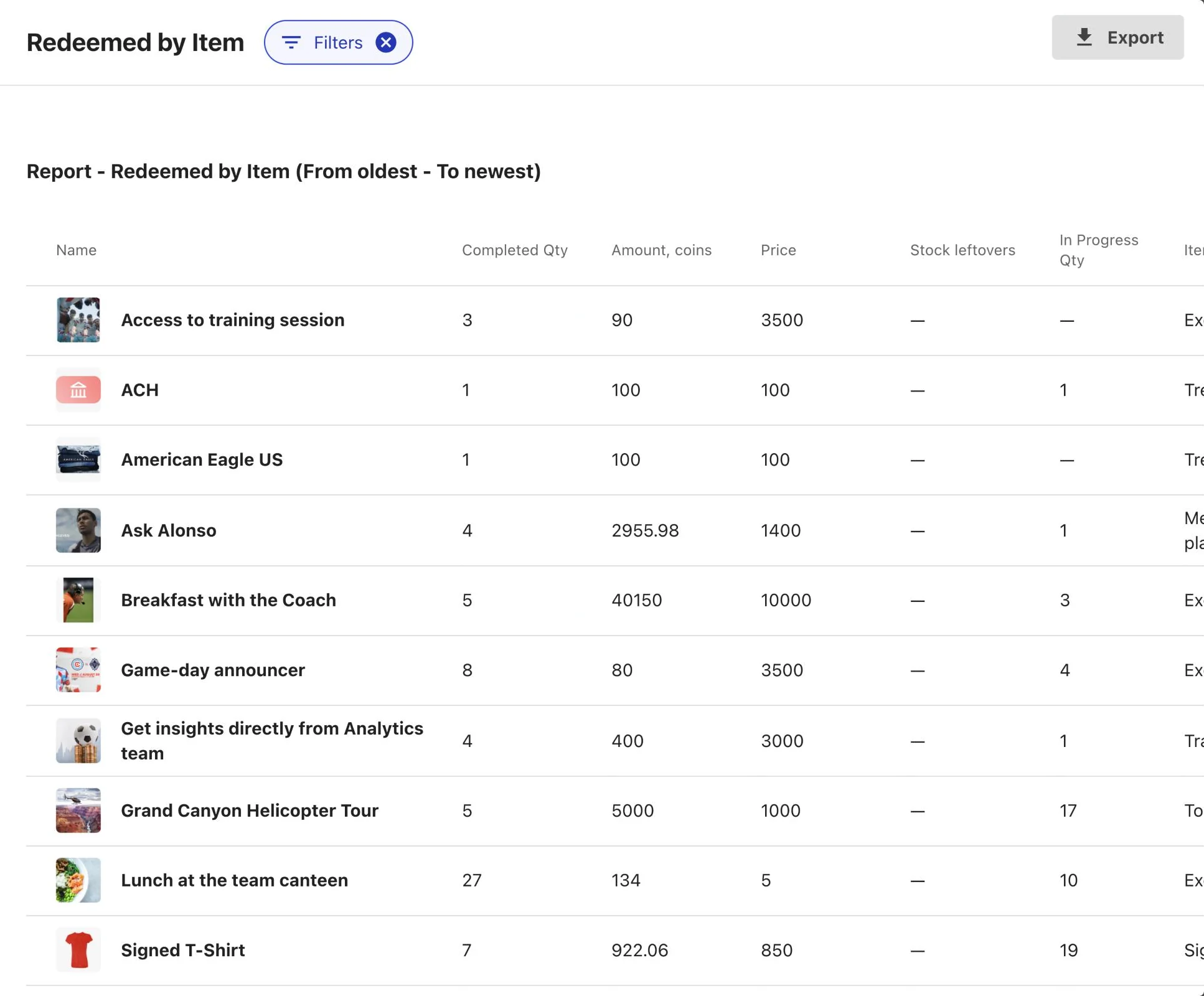
If a price changed during the period, Amount divided by Completed Qty can differ from the current Price.
Redeemed by User
One row per person and item, with the Completion Date. Use it to see everything one person redeemed.
People whose account was later removed appear as Unknown User; their orders still count.
Related pages
- Orders
- Coin balances: coins received and spent per person
- Analytics: recognition activity