
Appearance
Skills
Award messages describe why someone was thanked: "great teamwork on the launch", "you turned a customer escalation into a renewal". Skills turn that text into a map of what people are good at, without asking givers to tag anything.
You define skills, each with keywords. Whenever a published award's message contains one of the keywords, the receiver is credited with that skill.
At a glance
Until step 1 is done, no skills exist and nothing is shown anywhere.
1. Define skills and keywords
- Go to Global Management → Skills Management and select New.
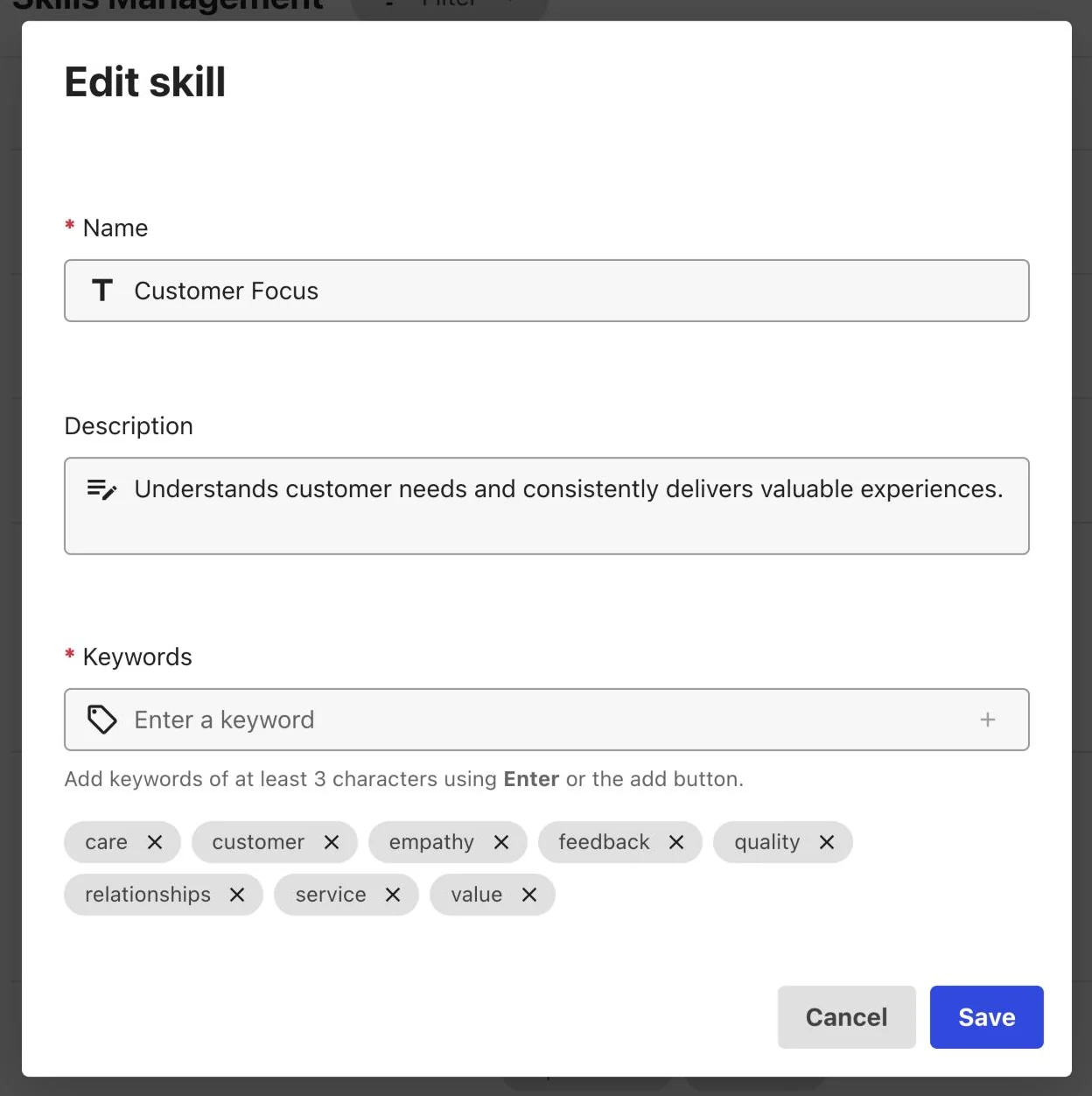
- Enter a Name, such as Collaboration, and optionally a Description.
- Add Keywords, at least 3 characters each: type one and press Enter.
- Select Create.
How detection works
- A keyword counts only as a whole word, ignoring capital letters. care matches "care" but not "careful".
- Each matching award adds one to the receiver's count for that skill.
- Only published awards count. Awards waiting for approval and declined awards don't.
- When a giver edits a message, or an award is deleted, counts are updated.
Choosing keywords
Include the words people actually write. For Collaboration: teamwork, collaboration, together, support. Encourage meaningful award messages, because they're the only source of skills.
Edit or delete a skill
- Pencil icon: edit. Changing a skill's name or keywords checks all past awards again, so counts can change. Confirm with Acknowledge.
- Bin icon: delete.
Deleting is immediate
A skill is deleted as soon as you select the bin icon, with no confirmation.
2. Show skills to employees
Skills appear in three places. Each is turned on separately.
| Where | How to turn it on | Who |
|---|---|---|
| On every LumApps profile | Turn on Display "Skills in profile" in Global Management → Global Settings. Needs the site code. | Global Manager |
| Under awards in a stream | Turn on Show skills in that Awards Stream widget. | Page editor |
| In a Skills widget | Add the widget to a page, as below. | Page editor |
Add a Skills widget
- Open a LumApps page in edit mode and add the Employee Recognition by Linkers widget.
- In Select your widget, choose Skills.
| Setting | Default | What it does |
|---|---|---|
| Users per page | 12 | Use 6, 12, 18 or 24 for complete rows. |
| Show rank | Off | Shows each person's rank, by total skill count. |
| Filter skills by program | All | Counts only awards from these programs. |
| Filter skills by users or groups | None | Shows only these people or group members. |
| Available skills | All | The skills readers can see and filter by. |
| Selected by default | None | A skill filter applied when the page opens. Readers can change it. |
| Filter skills by date | All time | Counts only recognition received in this period. |
| User card background intensity | 3 of 4 | How strongly the colors fill the cards. |
| Primary color, Secondary color | Branding colors |
| Goal | Settings |
|---|---|
| Who's known for Customer Focus? | Selected by default: Customer Focus |
| A program's skills ranking | One program, Show rank on |
| A team's skills map | Filtered by the team's group |
3. What employees see
On profiles, a Skills section lists the person's skills with a count for each.
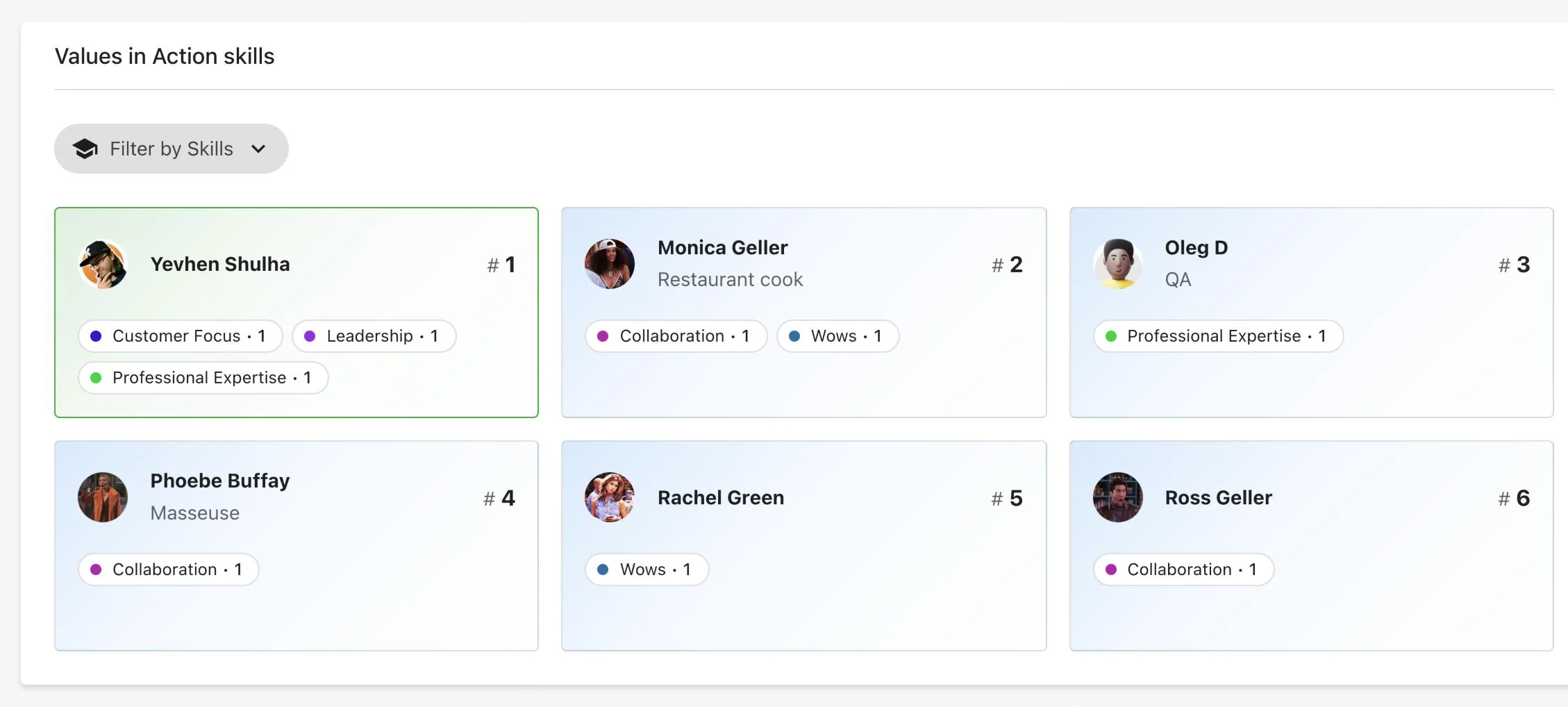
In a Skills widget, people appear as cards with their skills. The reader's own card has a green border.
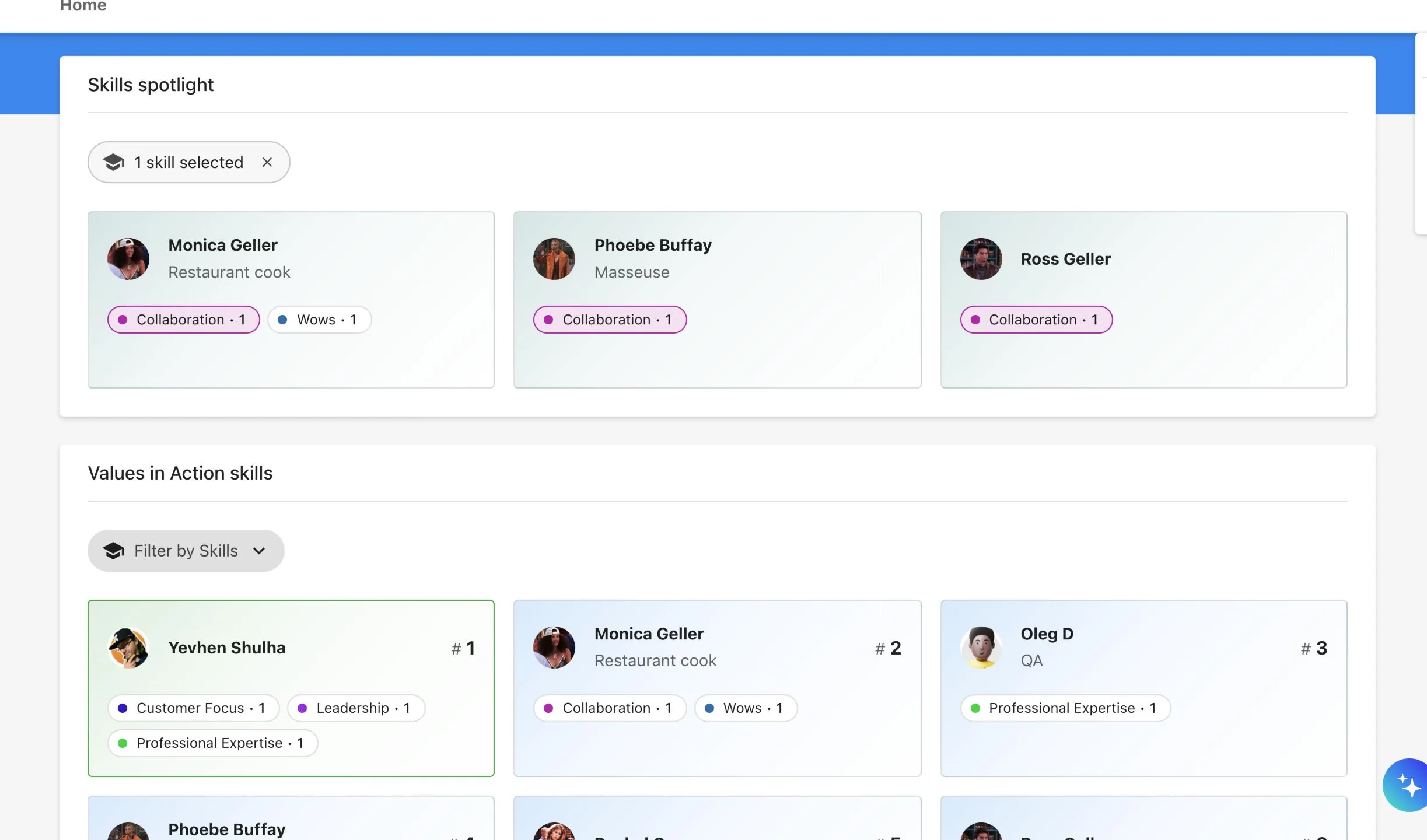
Find people with a skill: Filter by Skills lists the skills, with the number of people who have each. Selecting one shows only those people.
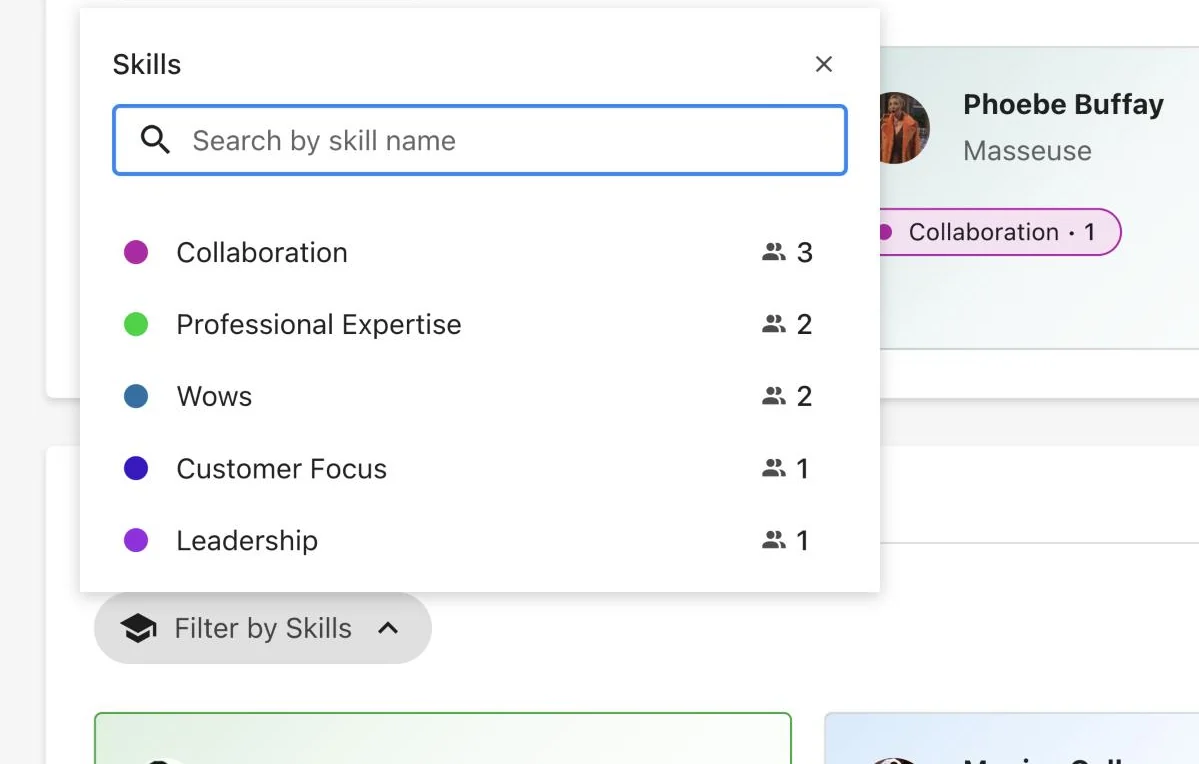
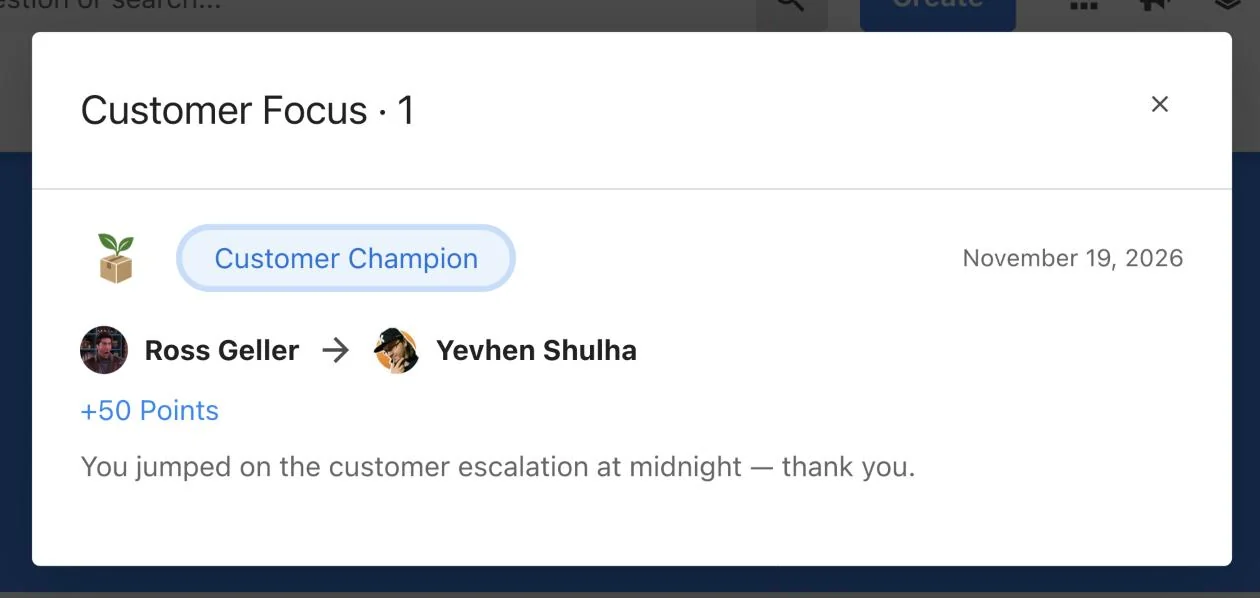
See why someone has a skill: selecting a skill, on a card or a profile, lists every award that counted toward it, with the giver, points and message.
4. See how skills are used
In Skills Management:
- The Table tab lists each skill with its keywords, the number of Users credited with it and its Occurrences.
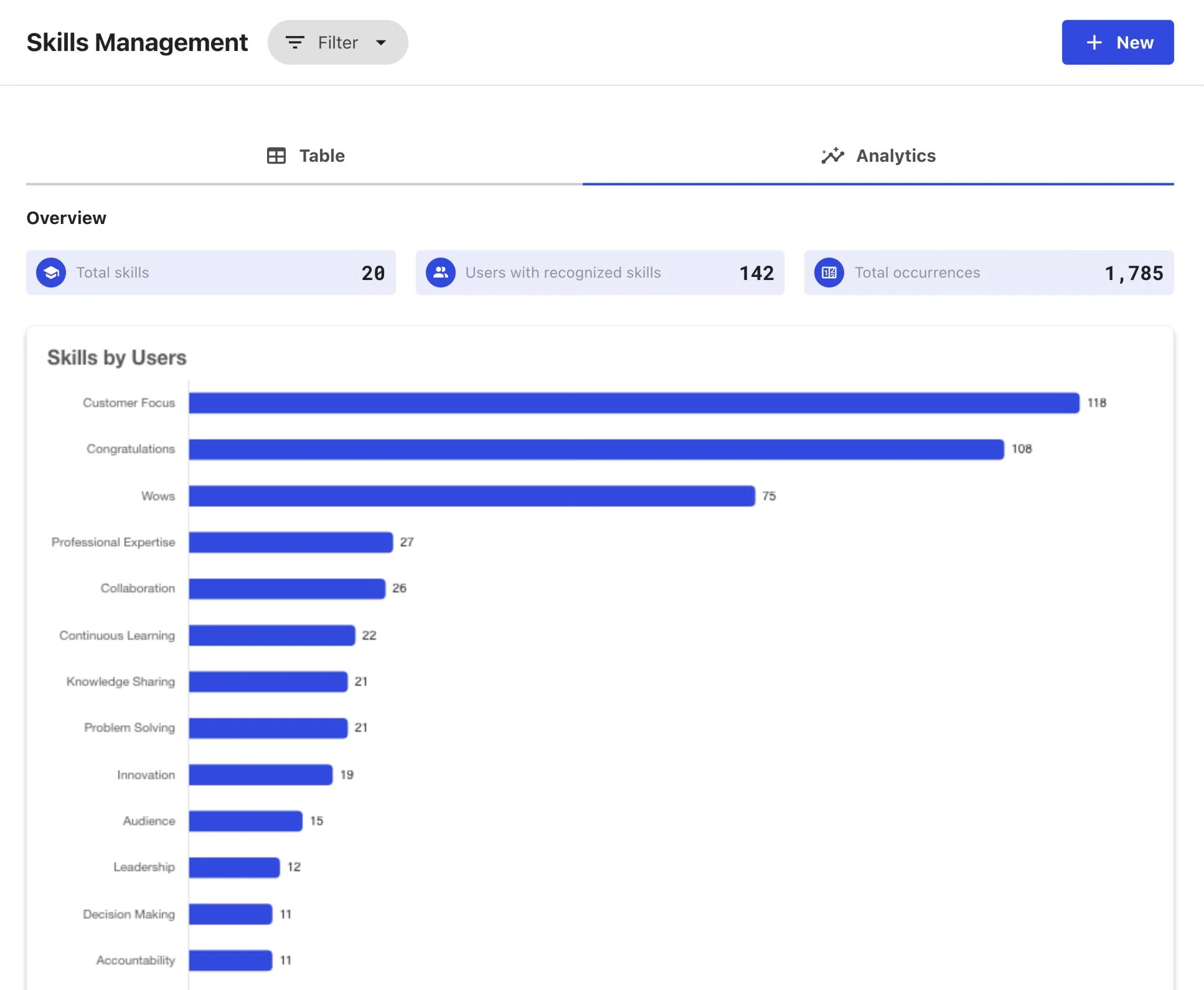
- The Analytics tab shows totals and a chart of users per skill.
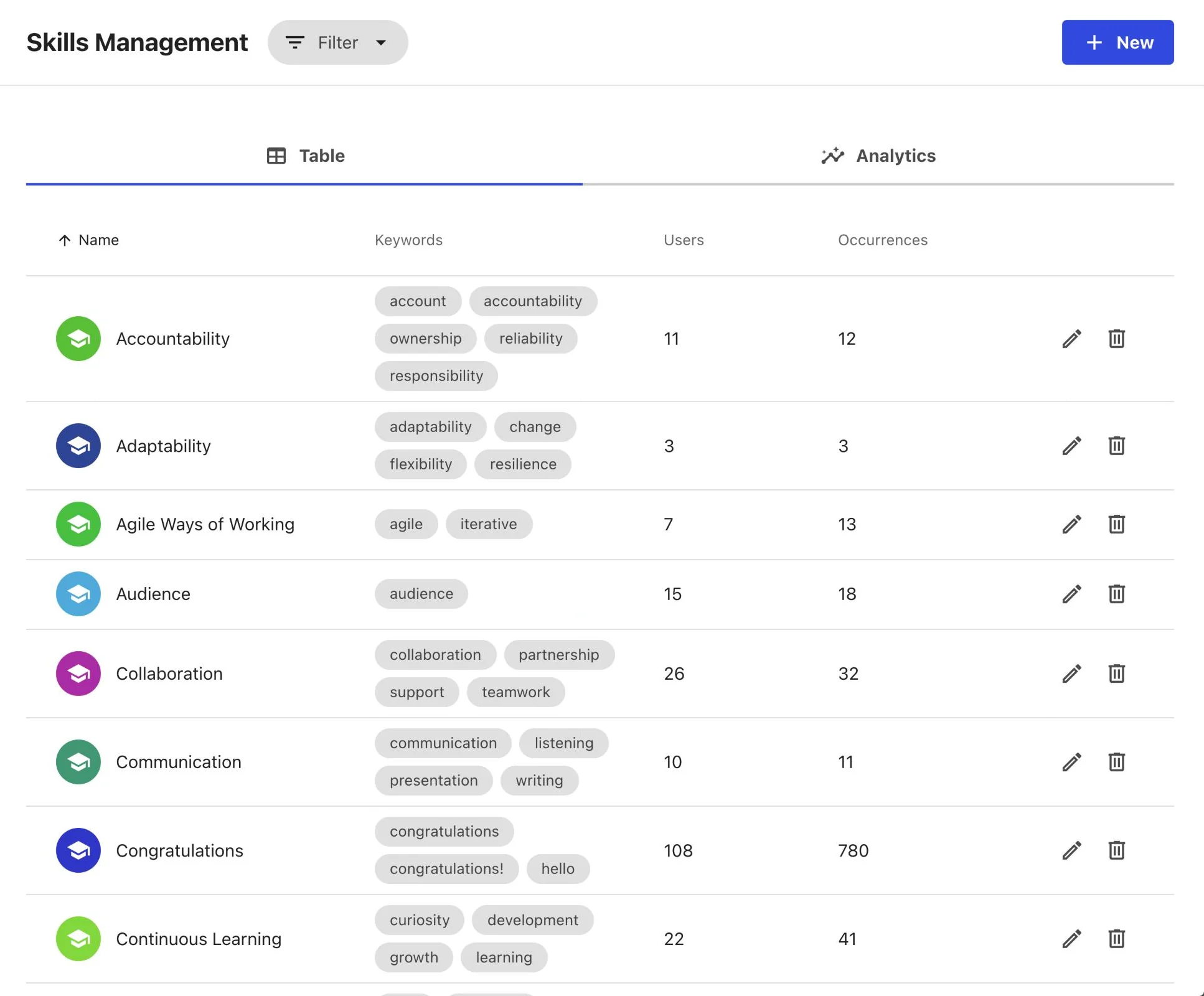
A skill with few occurrences usually needs more keywords.
Troubleshooting
| Symptom | Cause | Fix |
|---|---|---|
| The Skills widget shows No skills available | No skills are defined, or no award message in the widget's scope matched a keyword. | Define skills, add keywords, or widen the widget's filters. |
| No Skills section on profiles | Display "Skills in profile" is off, or the site code isn't installed. | See Show skills to employees. |
| No skill tags in the Awards Stream | Show skills is off in that widget. | Turn it on in the widget's settings. |
| A message didn't count | The keyword is part of a longer word, or the award isn't published yet. | Add the variant as a keyword, or approve the award. |