
Appearance
Birthdays
Birthdays are easy to forget and easy to automate. With birthday awards turned on in a program, every participant receives the program's birthday award on their birthday, without anyone giving it. A Birthday widget shows colleagues whose birthday is near, so they can add their own wishes.
At a glance
The widget only works after steps 1 and 2, because it reads the birthday field you choose in step 1.
Before you start
- You need to be a Global Manager or a manager of the program.
- Birthdays must be stored in a LumApps profile field, usually filled from your HR system. Find out which field, and its date format, for example
DD.MM.YYYY. - Only the program's participants receive the award and appear in the widget. See Participants.
Dates come from profiles
If birth dates are synchronized from your company directory, they can't be corrected in LumApps. Fix wrong or missing dates in the directory.
1. Turn on birthday awards
- Choose the program in Program Management → Select a program, then go to Awards → Birthday.
- Select Activate.
- In Profile field for date of birth, choose the field that holds birthdays.
- Enter the Date format, or select Detect format to fill it in from your users' data.
- In Test, choose a person whose birthday is filled in. Their date is checked against the format.
- When the test succeeds, select Save.
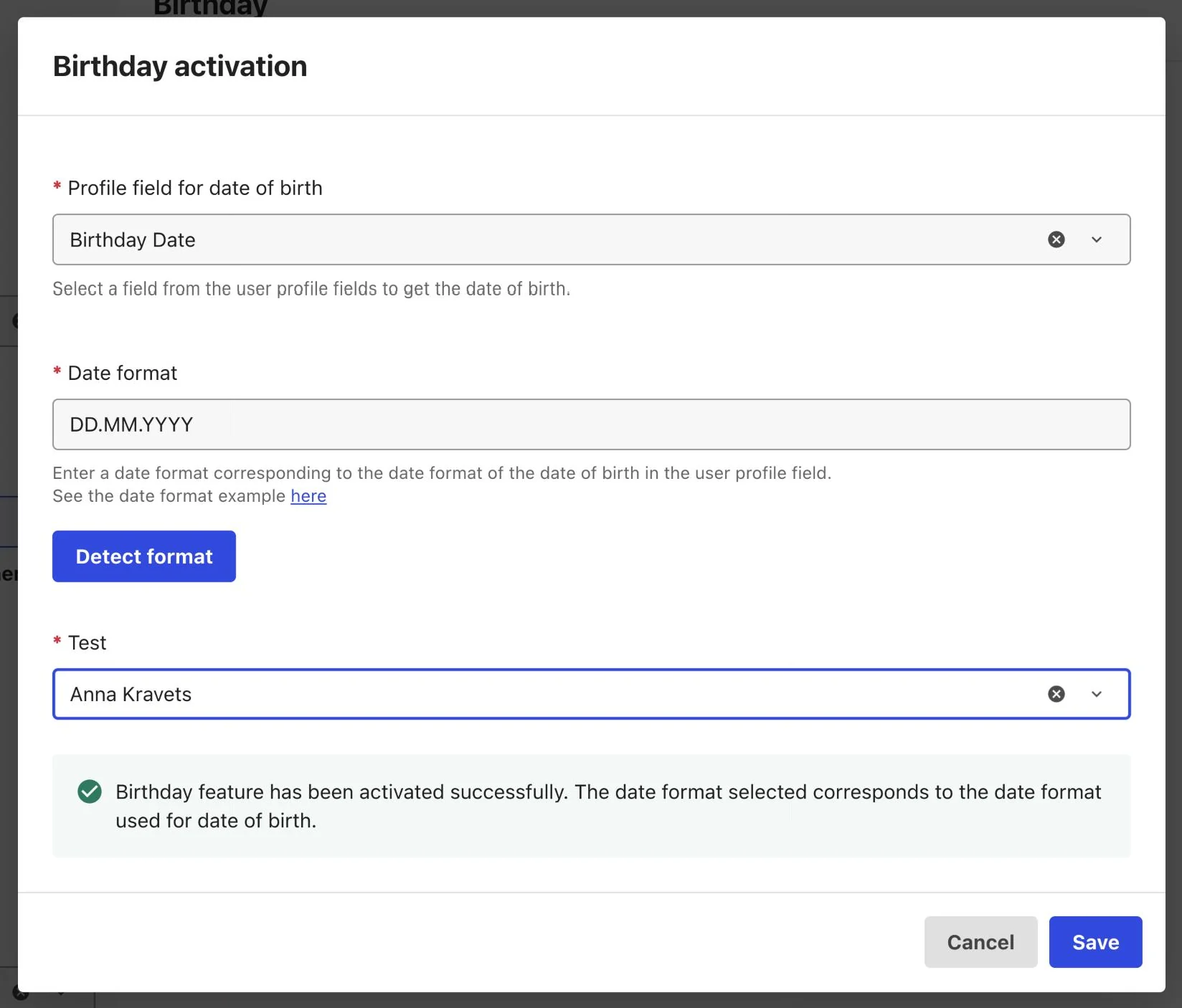
You can only save after a successful test, so awards are never given on wrong dates.
If the test fails
Birthday field test failed, date format doesn't match field value means that person's field is empty or in another format. Select See more for details, then correct the format or test with another person.
2. Create the birthday award
A program has one active birthday award.
- Open the Birthday Award tab and select New.
- Fill in the title, description, value, icon and expiration, as for a peer-to-peer award.
- Enter the Awards Stream message: the text shown with the award, since no colleague writes one. For example, Wishing you a fantastic birthday and a wonderful year ahead!
- Select Save.
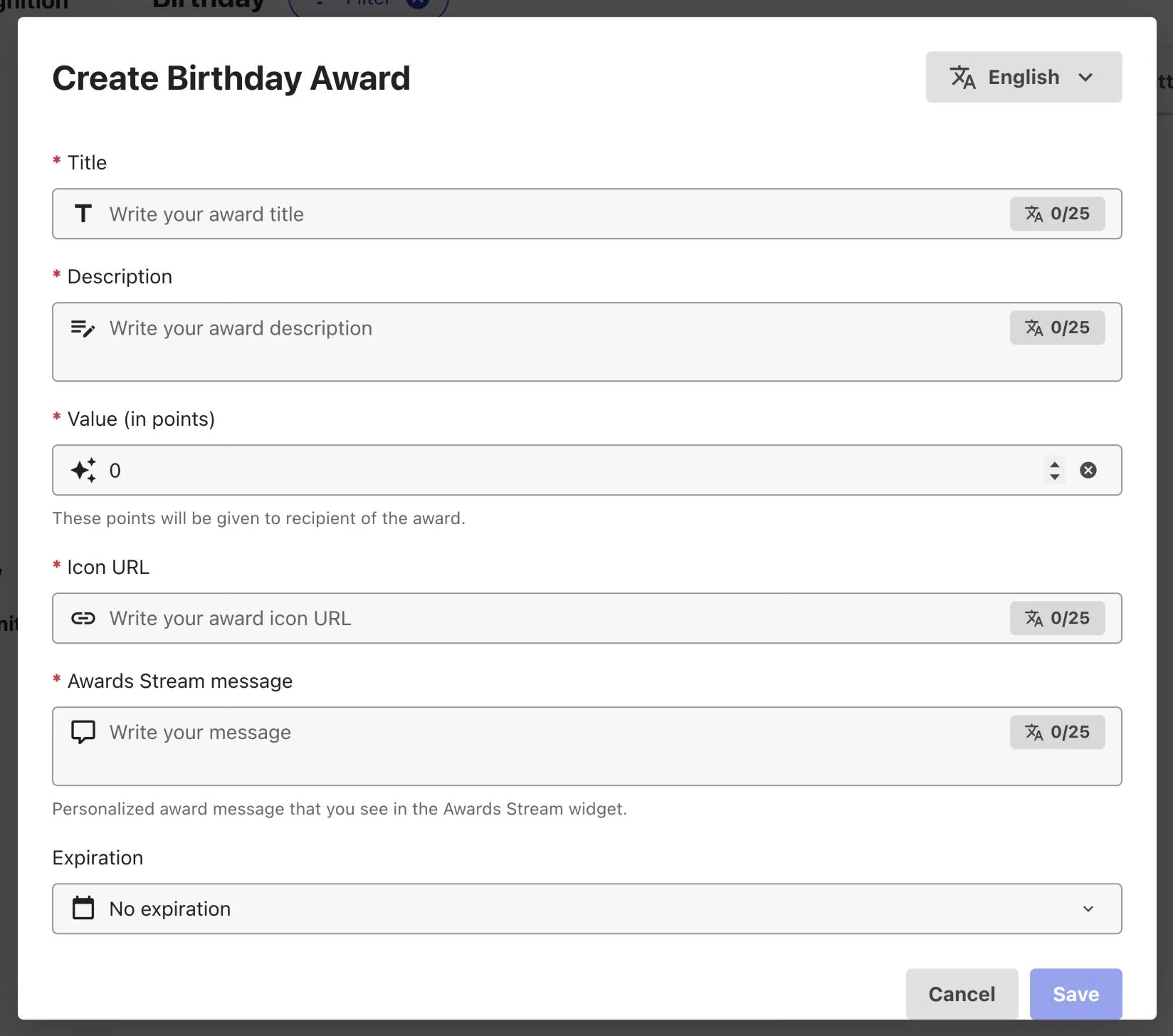
To replace the award, archive the current one first. New is unavailable while an active birthday award exists.
When the award is given
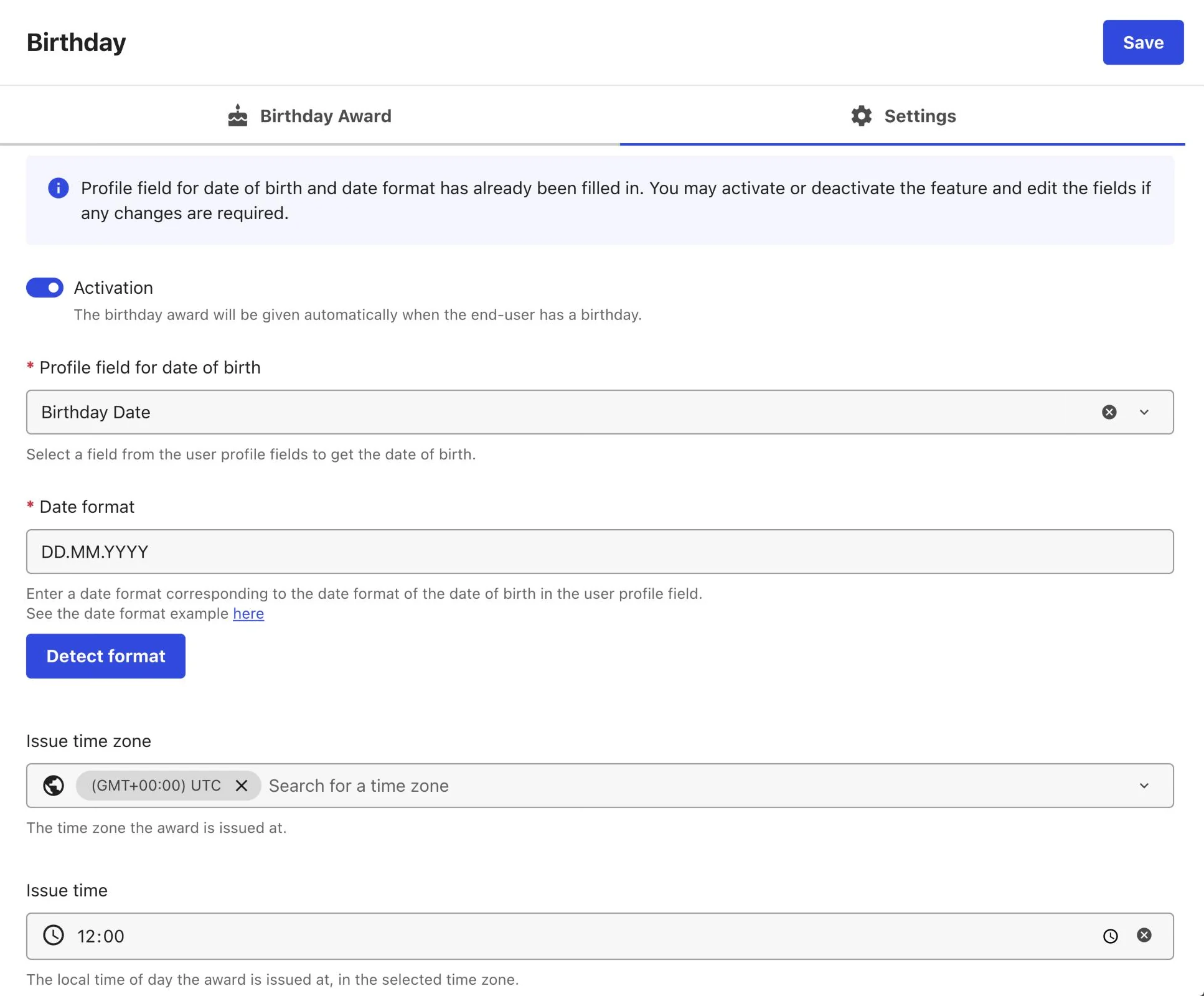
On the Settings tab, Issue time zone (default UTC) and Issue time (default 12:00) set the moment the award is given on the birthday. The same tab lets you change the profile field or format, and turn the feature off with Activation. Turning it off stops new awards; awards already given stay.
3. Put a Birthday widget on a page
- Open a LumApps page in edit mode and add the Employee Recognition by Linkers widget.
- In Select your widget, choose Birthday.
- In Select a recognition program, choose the program you set up above. This is required.
| Setting | Default | What it does |
|---|---|---|
| Select a recognition program | None (required) | The program whose participants and birthday field are used. |
| Select a recognition program for branding and translation | Global settings | Wording and colors. |
| Filter birthdays by groups | None | Lists only members of chosen LumApps groups, for a team page. |
| Number of users to display per page | 5 | |
| Show previous days | On | Shows the Last 7 days tab. |
| Show next days | On | Shows the Next 7 days tab. |
| Primary color, Secondary color | Branding colors | The banner and tabs. |
4. What employees see
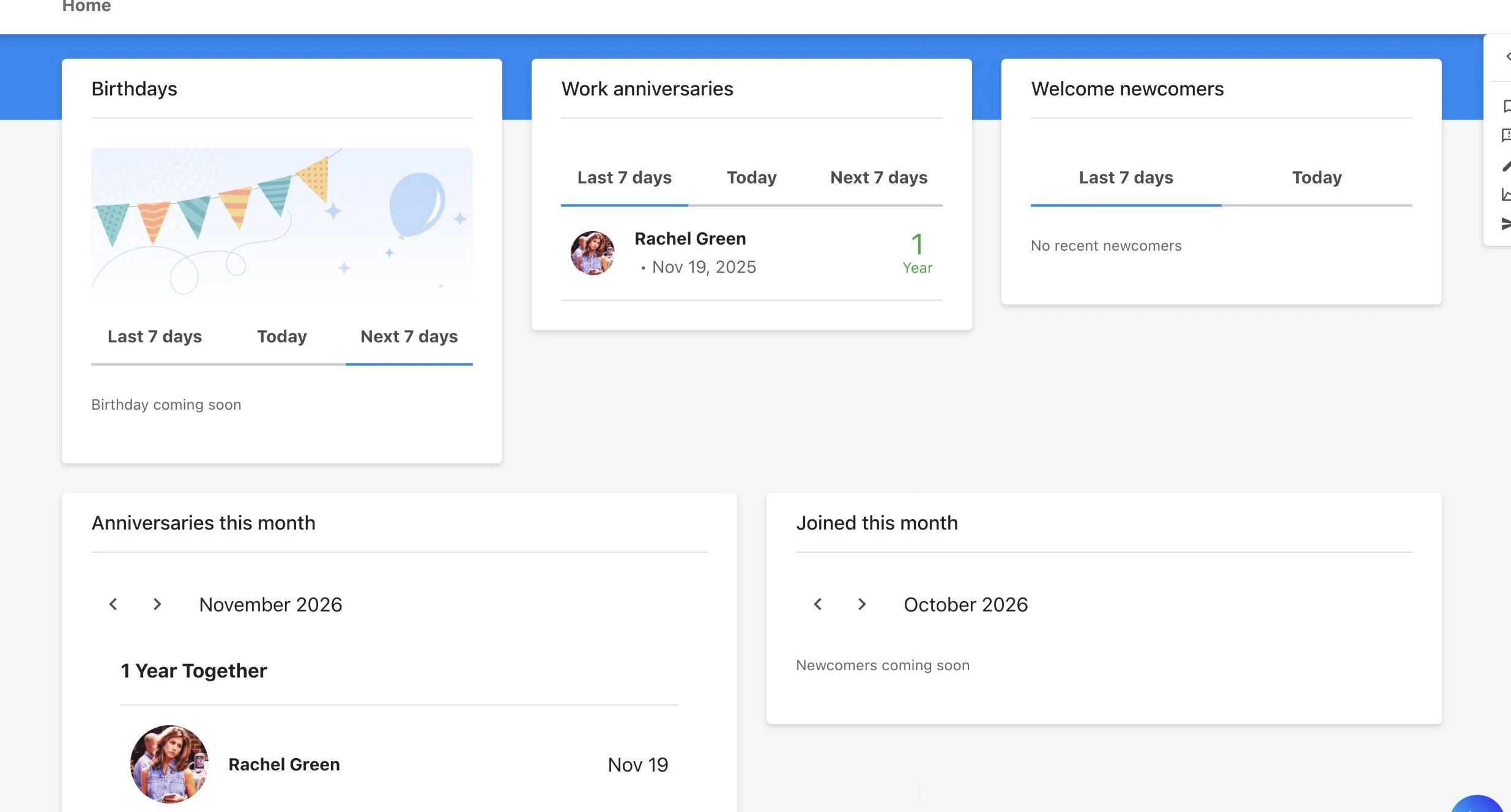
In the widget: tabs for Last 7 days, Today and Next 7 days, with each person's name and the day and month of their birthday. The year and the person's age are never shown. Selecting a person opens their profile. On their own birthday, the reader is greeted with Happy Birthday and their first name.
On the day, the person:
- receives the birthday award and a notification
- sees the award in the Awards Stream, with Happy Birthday! in place of a giver, where colleagues can comment and react
- gains the award's points as score, and as coins when the marketplace is on
Troubleshooting
| Symptom | Cause | Fix |
|---|---|---|
| Birthday widget not configured. | No program is chosen in the widget, or the program has no active birthday award. | Choose the program, and complete steps 1 and 2. |
| Birthday coming soon every day | Nobody in scope has a birthday in the period, or birthdays can't be read. | Check the profile field and format in Settings, and that people are participants. |
| Someone is missing | They aren't a participant, their profile has no birth date, or a group filter excludes them. | Check the program's participants, the profile, and the widget's group filter. |
| Nobody received an award | The feature is off, or there's no active birthday award. | Check Activation and the Birthday Award tab. |
| Dates don't update | Profile data isn't being synchronized. | Check the LumApps connector. |