
Appearance
The store and shopping
The Marketplace widget is the store where employees spend the coins they earn from awards. The My Marketplace Orders widget lets them follow what they ordered.
At a glance
- Create a marketplace with buyers, then categories and items
- Shop and follow orders
Put the store on a page
- Open a LumApps page in edit mode and add the Employee Recognition by Linkers widget.
- In Select your widget, choose Marketplace.
- In Marketplaces and categories, choose one or more marketplaces. Expand a marketplace to show only some of its categories.
| Setting | Default | What it does |
|---|---|---|
| Marketplaces and categories | None | What the store sells on this page. |
| Sort by | Name | The default order: Name, Price or Creation date. Shoppers can change it. |
| Ascending | On | The default sort direction. |
| Primary color | Branding color | Prices, category labels and buttons. |
Then add a second widget of type My Marketplace Orders next to it, so buyers can follow their orders. It has one setting:
| Setting | Default | What it does |
|---|---|---|
| Hide widget when Marketplace is disabled or the end user has no orders | Off | Avoids an empty box for people who never ordered. |
| Goal | Settings |
|---|---|
| Main store | One marketplace, sorted by name |
| Most affordable first | Sorted by Price, ascending |
| Charity corner | One marketplace, only the Charity category |
Who can shop
Only the buyers of a marketplace can see its items. Everyone else sees You don't have access to the Marketplace. Buyers are people, groups or segments chosen in the marketplace's settings: see Create a marketplace.
How employees shop
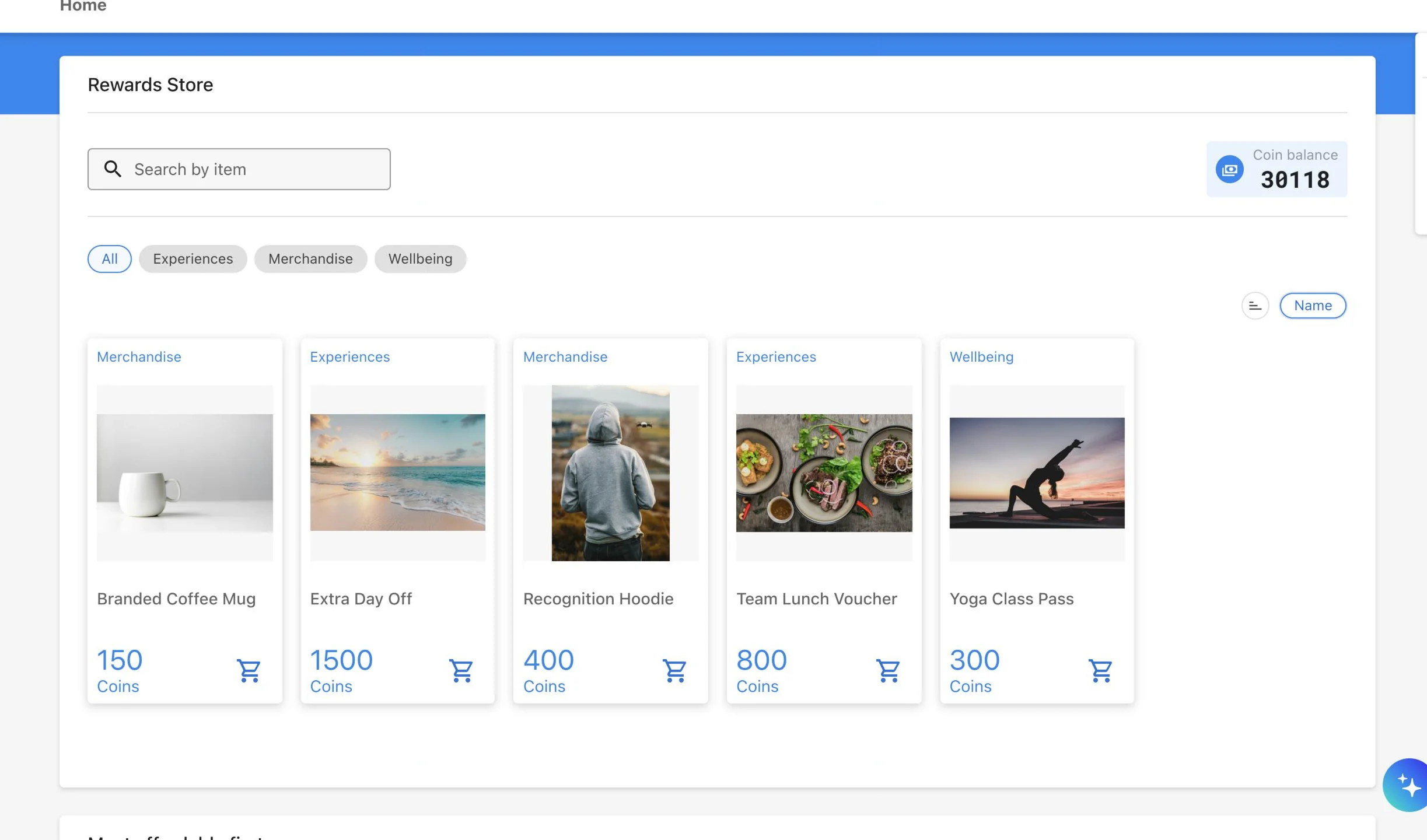
Browse
- The shopper's Coin balance is at the top right.
- Search by item finds an item by name.
- Category buttons show one category, or All.
- The sort control orders items by Name, Price or Creation date.
- Selecting an item shows its full description.
Items with counted stock and none left show Out of stock and can't be ordered. Deactivated items don't appear. Both are managed in Items and categories.
Order
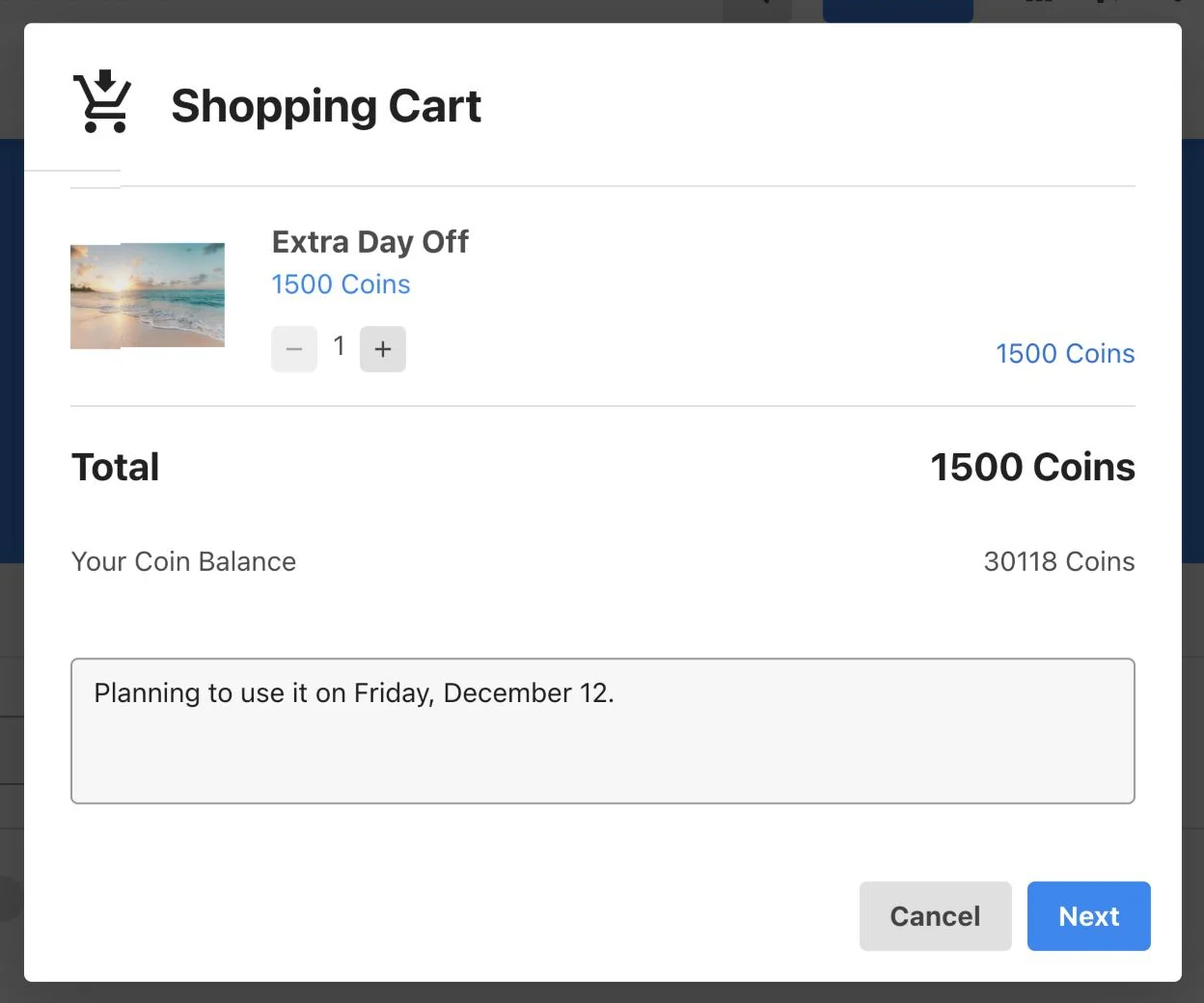
- The shopper selects the cart icon on an item, or opens it and selects Buy.
- In the Shopping Cart, they set the quantity and check the Total against Your Coin Balance. If the balance is too low, the line reads Coins Lacking and they can't continue.
- They can add a Comment for the people who deliver the order.
- Order details: this step appears when the marketplace has checkout questions, such as a delivery address. Answers marked Filled in from your profile come from the shopper's LumApps profile. Checkout questions are set in the marketplace: see Ask for details at checkout.
- They select Checkout.
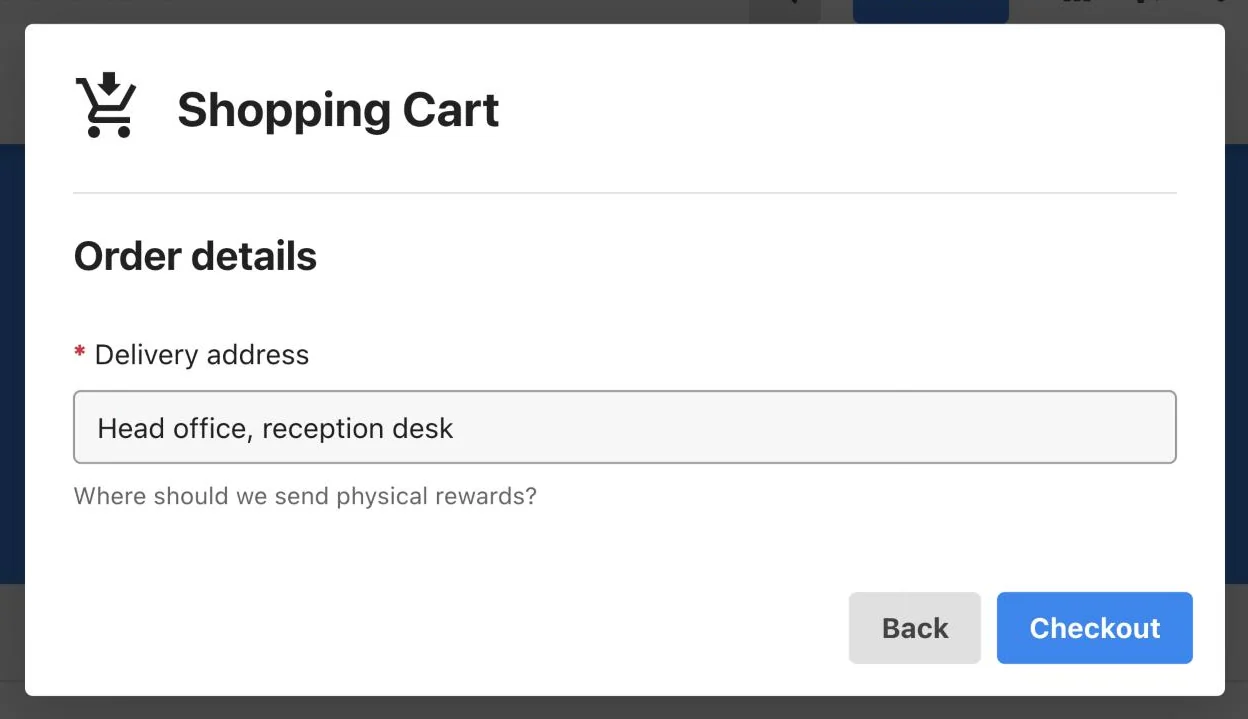
Order created appears. The coins are taken immediately, and the marketplace's managers are notified.
Follow an order
Buyers see their orders in the My Marketplace Orders widget and in the Marketplace tab of My Recognition.
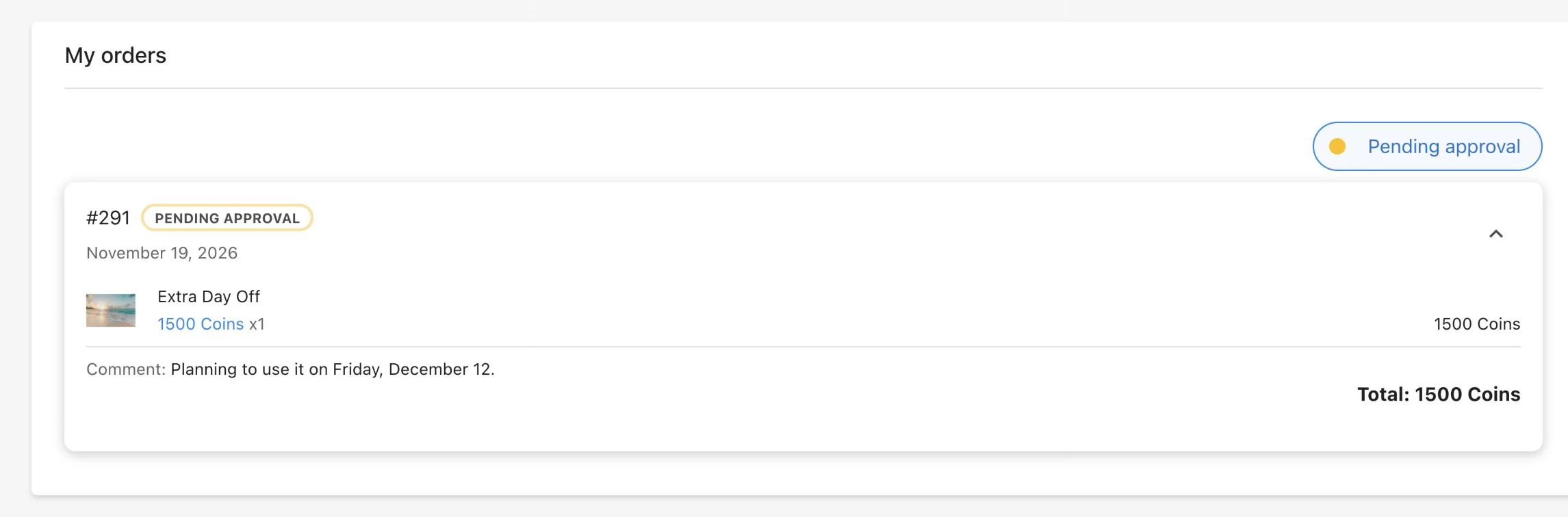
| Status | Meaning for the buyer | What changes it |
|---|---|---|
| Pending approval | Waiting for the marketplace team. | The buyer checked out. |
| In progress | Accepted; delivery is being arranged. | A manager selected Approve. |
| Completed | Delivered. | A manager selected Complete. |
| Canceled | Canceled; the coins were refunded. | A manager selected Cancel. |
The buyer gets a notification at each change. Buyers can't cancel an order themselves; they ask the marketplace's managers, who process orders in the admin panel.
Troubleshooting
| Symptom | Cause | Fix |
|---|---|---|
| You don't have access to the Marketplace. | The person isn't a buyer of any marketplace selected in the widget. | Add them, or their group, to the marketplace's Buyers. |
| Marketplace is disabled in the widget's settings, or the widget doesn't show | The marketplace is off, or the points strategy is No limit. | Turn on the marketplace. |
| "There are no items in the marketplace." | The marketplace has no active items, or none in the selected categories. | Add or activate items. |
| Insufficient balance. or You don't have enough Coins. | The shopper's balance is too low. | They need to earn more coins; a Global Manager can also add coins. |
| Sorry this item is out of stock | Someone else ordered the last one. | Add stock. |