
Appearance
Work anniversaries and newcomers
Two moments in every employee's journey are easy to miss in a large organization: their work anniversaries and their first days. Employee Recognition recognizes both automatically, from the start date in each person's profile.
- Work anniversary awards (called Workiversary in the product): one award per milestone, such as 1, 3, 5 and 10 years, given on the anniversary of the start date.
- Newcomers award: one welcome award for people who recently joined.
At a glance
Both features share step 1. You can then use either one or both.
Before you start
- You need to be a Global Manager or a manager of the program.
- Start dates must be stored in a LumApps profile field. Find out which field, and its date format.
- Only the program's participants receive the awards and appear in the widgets.
1. Turn the feature on
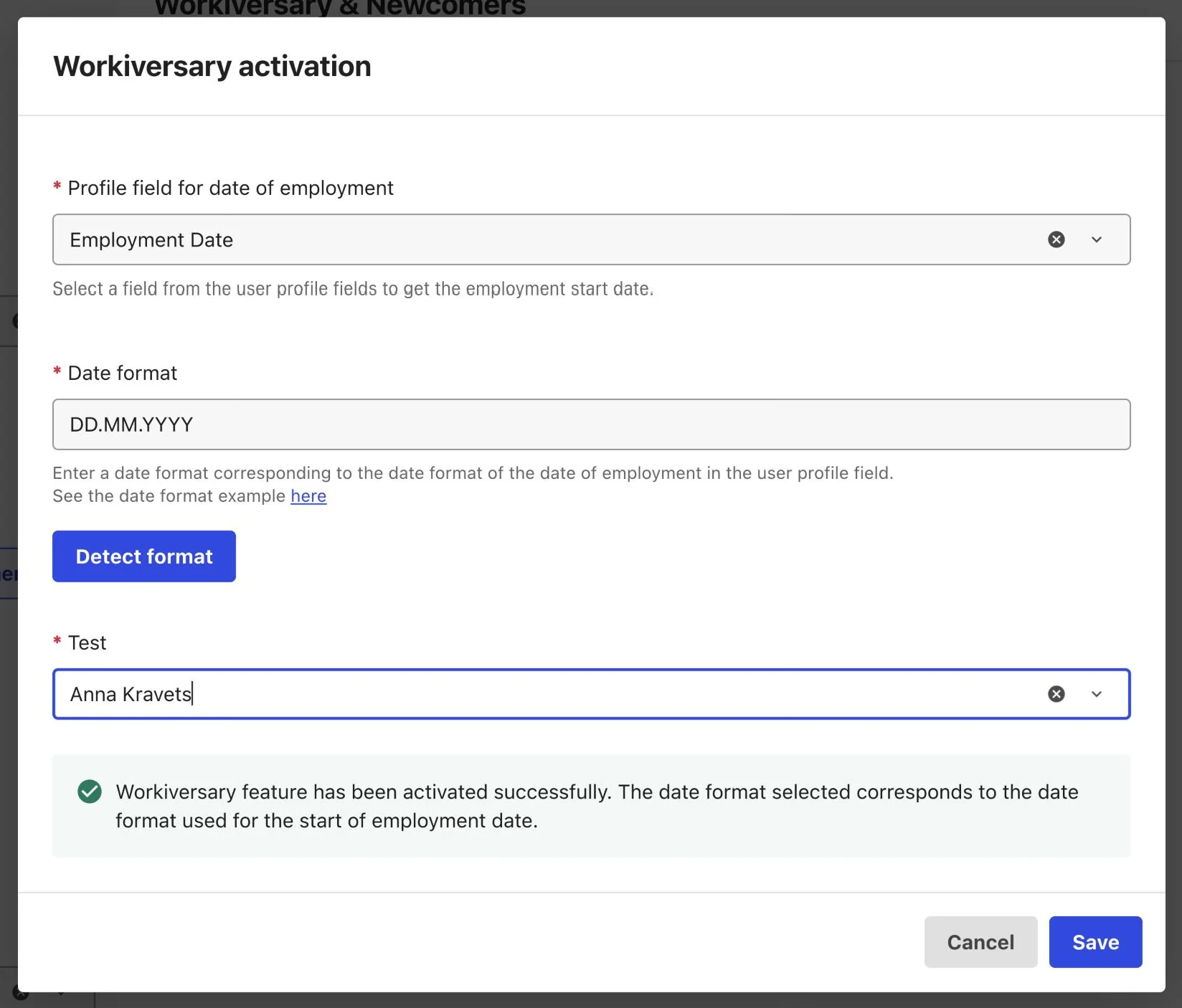
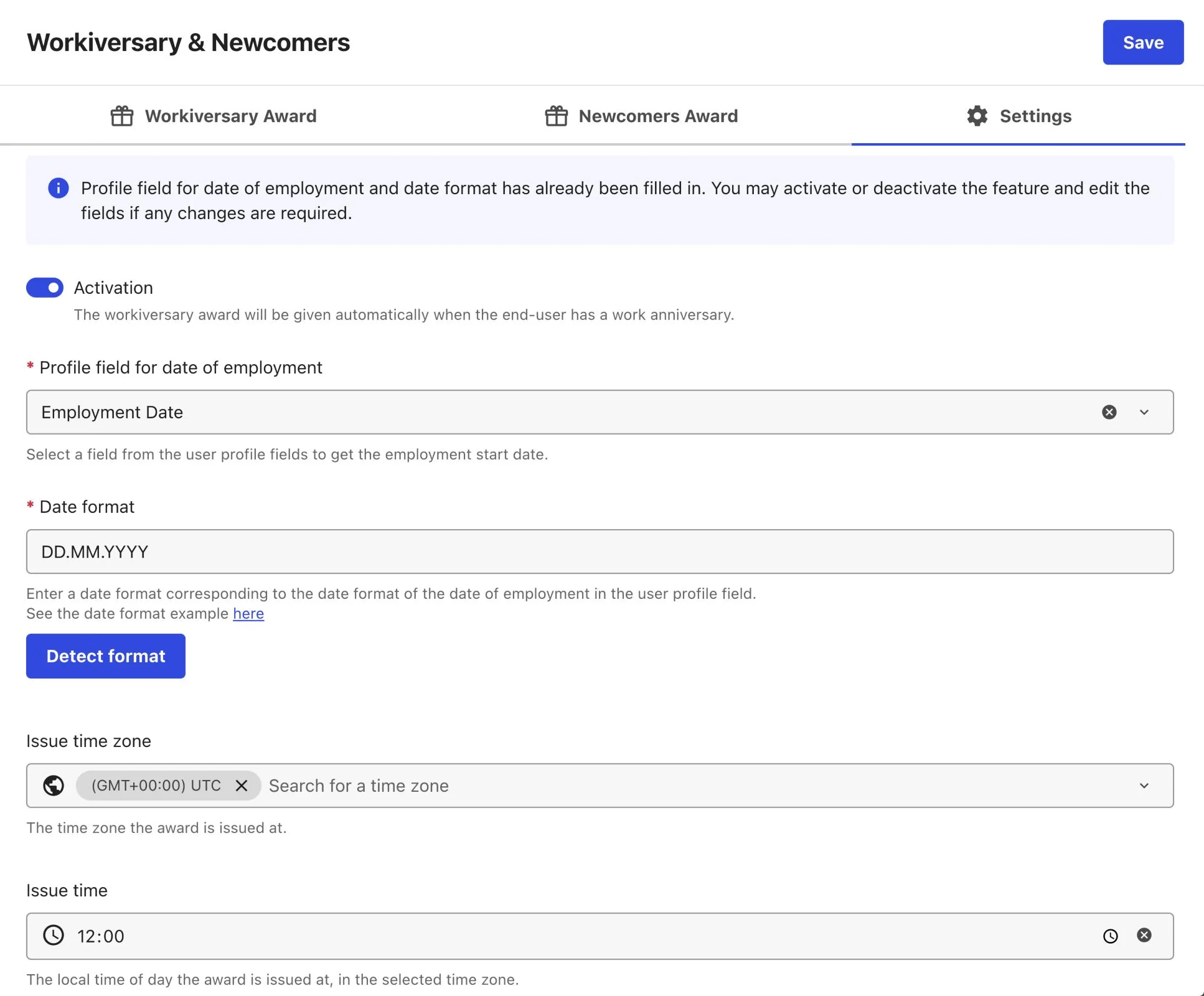
- Choose the program in Program Management → Select a program, then go to Awards → Workiversary & Newcomers.
- Select Activate.
- Choose the Profile field for date of employment.
- Enter the Date format, or select Detect format.
- In Test, choose a person whose start date is filled in.
- When the test succeeds, select Save. You can only save after a successful test.
2. Create anniversary awards
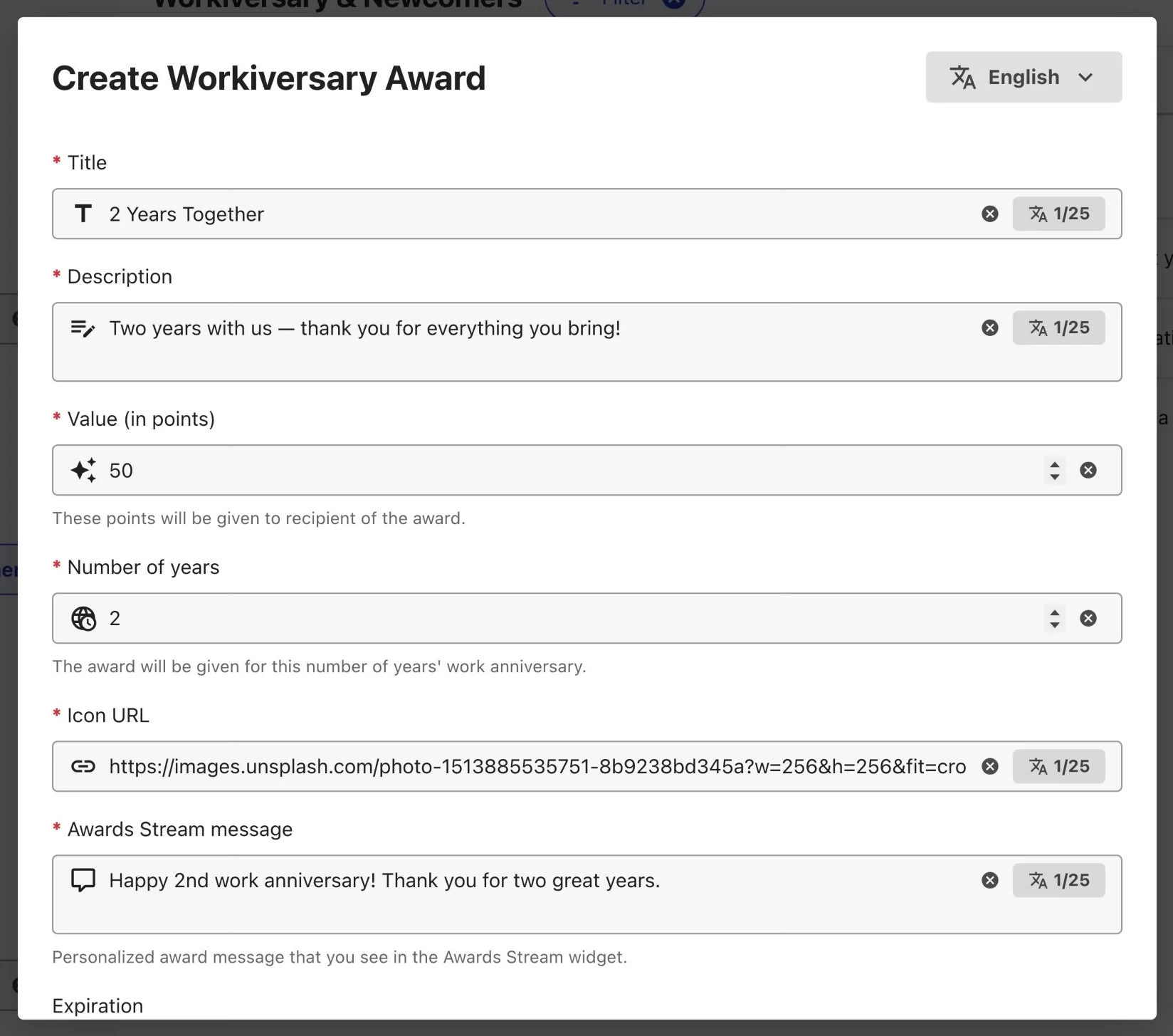
- Open the Workiversary Award tab and select New.
- Fill in the title, description, value, icon and expiration, as for a peer-to-peer award.
- Enter the Number of years this award is for. Each number of years can have only one award.
- Enter the Awards Stream message, for example Happy 2nd work anniversary! Thank you for two great years.
- Select Save, and repeat for each milestone.
Only milestones with an award are celebrated
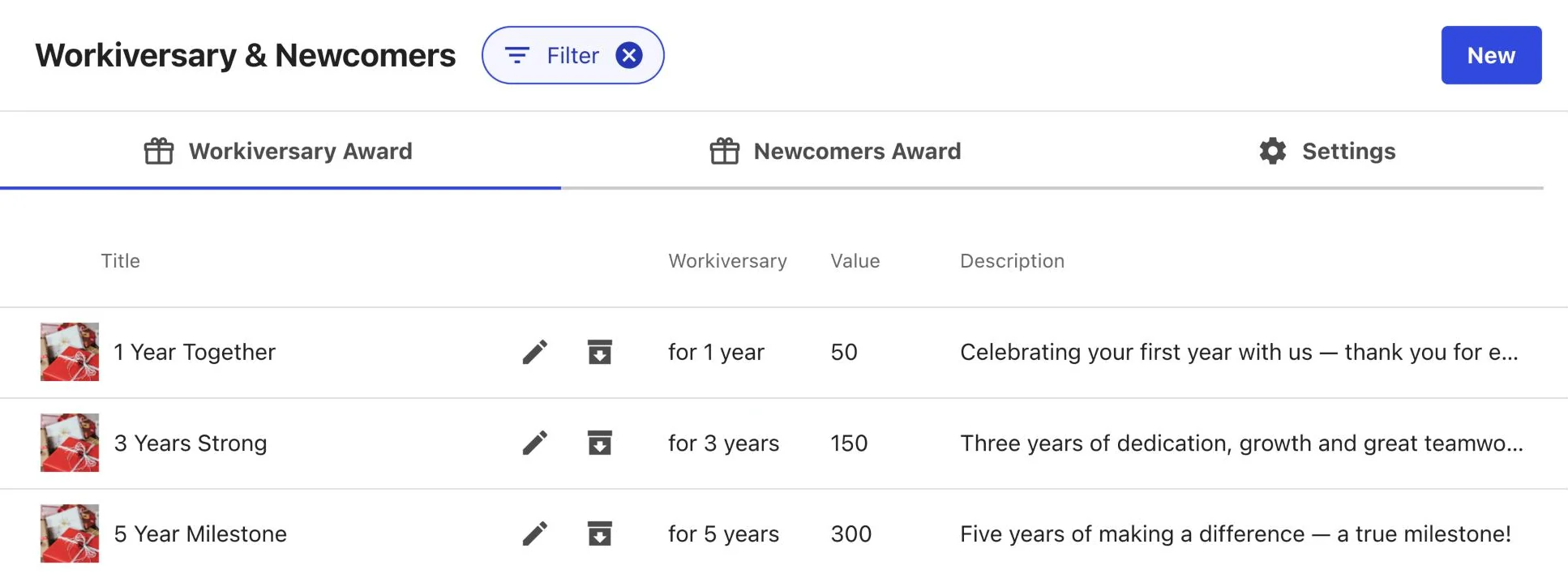
If you create awards for 1, 3 and 5 years, a person's 2nd anniversary gets no award and doesn't appear in the Workiversary widget.
TIP
Give higher values to longer service, for example 50 points for 1 year, 150 for 3 and 300 for 5.
3. Create the newcomers award
A program has one active newcomers award.
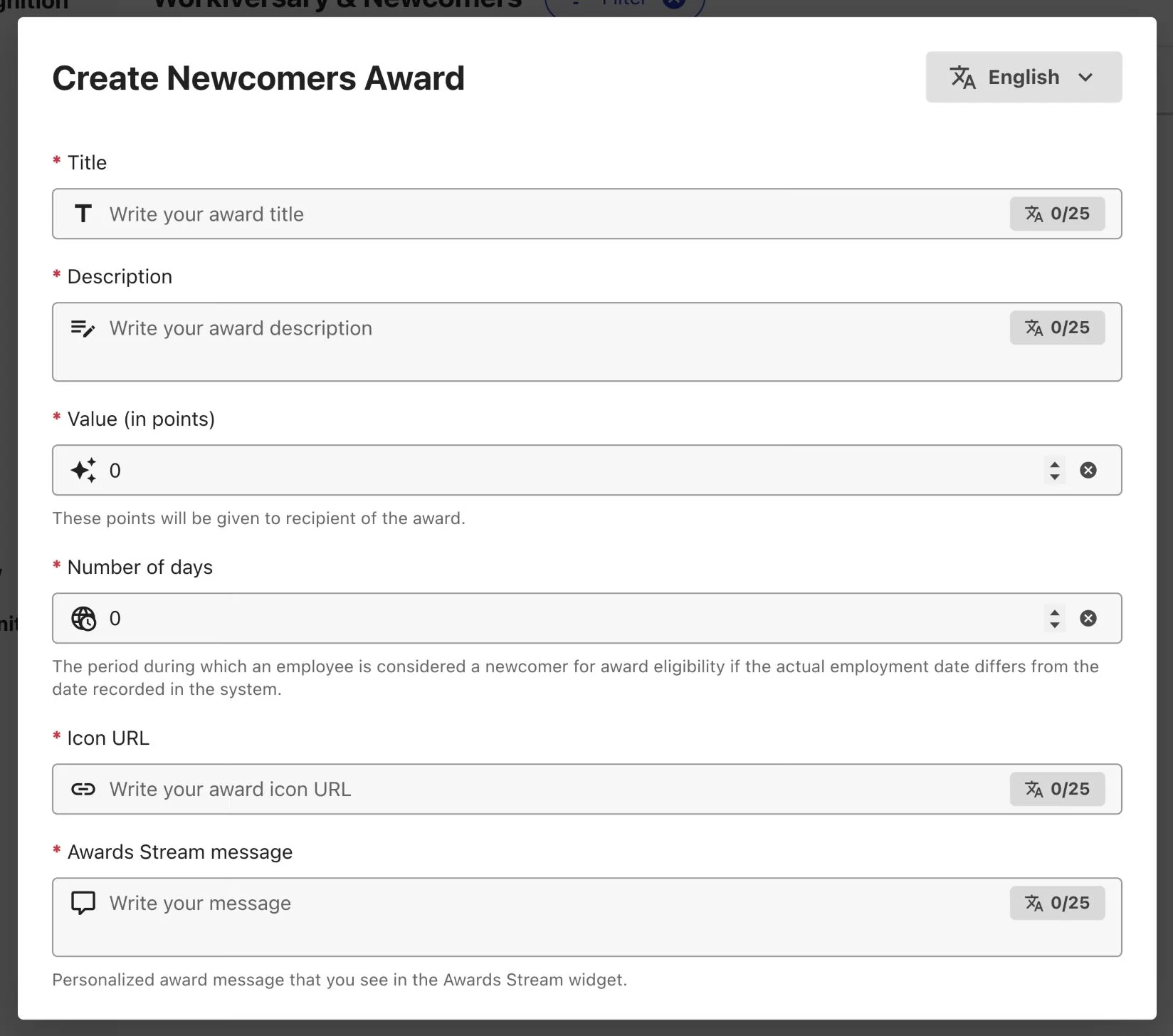
- Open the Newcomers Award tab and select New.
- Fill in the award fields.
- Enter the Number of days: how long after their start date the award is given.
- Enter the Awards Stream message, for example A warm welcome to our newest colleagues!
- Select Save.
Timing and past anniversaries
On the Settings tab:
- Issue time zone (default UTC) and Issue time (default 12:00) set the moment awards are given.
- Generate past workiversaries gives the anniversary awards that would have been given in the past, so your Awards Stream and profiles start with history.
- Activation turns the features off. Awards already given stay.
4. Put the widgets on a page
- Open a LumApps page in edit mode and add the Employee Recognition by Linkers widget.
- In Select your widget, choose Workiversary or Newcomers.
- In Select a recognition program, choose the program you set up above. This is required.
| Setting | Widgets | Default | What it does |
|---|---|---|---|
| Select view | Both | Week | Week shows tabs for recent days and today. Month shows one month at a time, with arrows. |
| Filter … by groups | Both | None | Lists only members of chosen LumApps groups. |
| Number of users to display per page | Both | 5 | |
| Show previous days | Both | On | Week view: shows the Last 7 days tab. Newcomers month view: opens on the previous month, the latest complete group of joiners. |
| Show next days | Workiversary | On | Shows the Next 7 days tab. |
| Avatar size | Workiversary | Medium | Small, Medium or Large. |
| Select a recognition program for branding and translation, colors | Both | Global settings | Wording and colors. |
| Goal | Settings |
|---|---|
| Home page anniversaries | Workiversary, Week |
| HR page "Anniversaries this month" | Workiversary, Month, large avatars |
| Team page | Either widget, filtered by the team's group |
| Welcome wall | Newcomers, Month |
5. What employees see
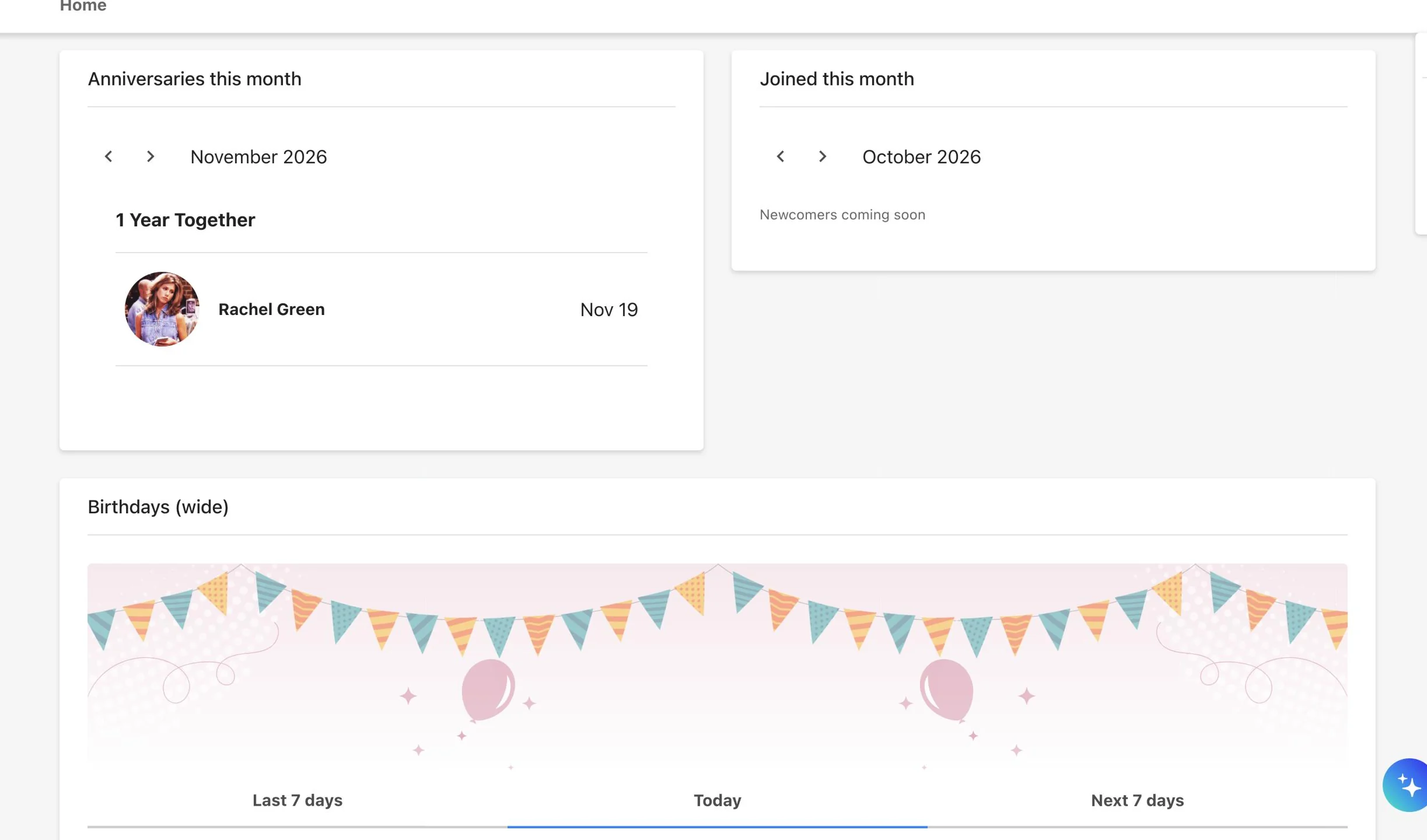
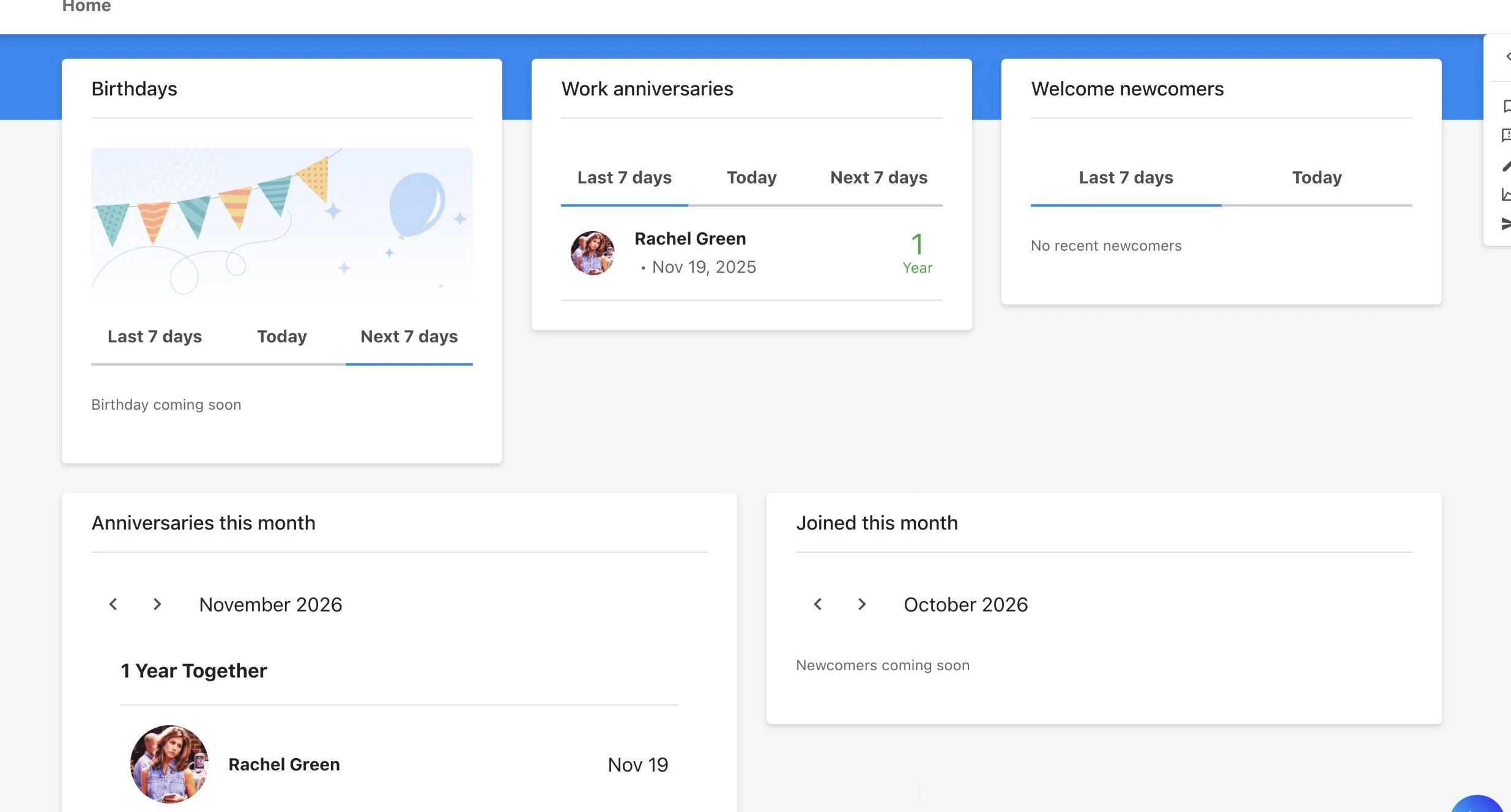
Workiversary widget: each person's name, start date, and a large number of years. In month view, people are grouped by milestone award, such as 1 Year Together.
Newcomers widget: each new joiner's name, start date, and the number of days since they joined. There's no upcoming tab, because future joiners usually aren't in LumApps yet.
When an award is given, the person receives a notification, and the award appears in the Awards Stream with Congratulations in place of a giver. Its points count as score, and as coins when the marketplace is on.
Troubleshooting
| Symptom | Cause | Fix |
|---|---|---|
| Workiversary widget not configured. or Newcomers widget not configured. | No program is chosen, or the program has no matching active award. | Choose the program and complete steps 1 to 3. |
| An anniversary is missing | No award exists for that number of years. | Add a milestone award. |
| Someone is missing | They aren't a participant, their profile has no start date, or a group filter excludes them. | Check participants, the profile, and the widget's group filter. |
| Wrong dates | The wrong profile field or format is selected. | Correct it on the Settings tab and test again. |